Visual output is easy to generate once.
The hard part is keeping the same artifact editable across many AI turns without sending the whole HTML/CSS implementation back into the prompt.

Visual documents need an AI-native source.
A compact source of truth for visual documents that AI can edit and browsers can restore.
AI should not have to rewrite a full HTML/CSS artifact just to change a title, metric, section, or visual emphasis. VMD separates the editable meaning of a visual document from the replay data required to reproduce its rendered output.
Before
With VMD
@doc "Revenue Brief" {
  spec: vmd@0.1
  fidelity: visual-lossless
  intent: executive-brief
}

::intent
purpose: keep the visual brief editable by AI
editable: title, metrics, callouts, tone
::

@tokens.editable {
  accent: #c96442
}

@tokens.locked {
  title.line-height: 1.05
  grid.gap: 24px
}

::frame[role="overview" recipe="brief.workspace"]
  title: Revenue is compounding faster than account growth

  ::component.metric[label="Revenue" value="$842k"]
  change: +14.6%
  ::
::

@residual_index {
  affected:
    frame.overview.title:
      safe-edit: text-within-46-chars
      on-change: remeasure
}

@replay {
  encoding: visual-replay@0.1
}

@residual {
  mode: visual-lossless
  ai: ignore
}Why this exists
The next document format has to be cheap for models to read, precise enough for browsers to restore, and explicit about what changed after each edit.
The hard part is keeping the same artifact editable across many AI turns without sending the whole HTML/CSS implementation back into the prompt.
Text, layout, cascade, browser quirks, assets, and fallbacks live together. A small content edit can make the model rewrite implementation detail it should not touch.
It is good for prose. It cannot carry enough layout, token, replay, and restoration state to replace a designed page, report, deck, or dashboard.
What changes
AI reads intent, slots, components, editable tokens, and constraints instead of the full DOM and CSS cascade.
The format tells the model what it may edit, what is locked, and what must be remeasured after a change.
The renderer uses lock, recipe, replay, residual, and raw fallback data to reconstruct the browser output for a fixed environment.
The same source can target browser pages now and renderer pipelines for PDF, decks, and design artifacts later.
Example outputs
VMD only matters if it can stand behind artifacts people already recognize: reports, dashboards, decks, and later PDF or design-file renderers. These examples show the kind of visual targets the source format is meant to replace and preserve.
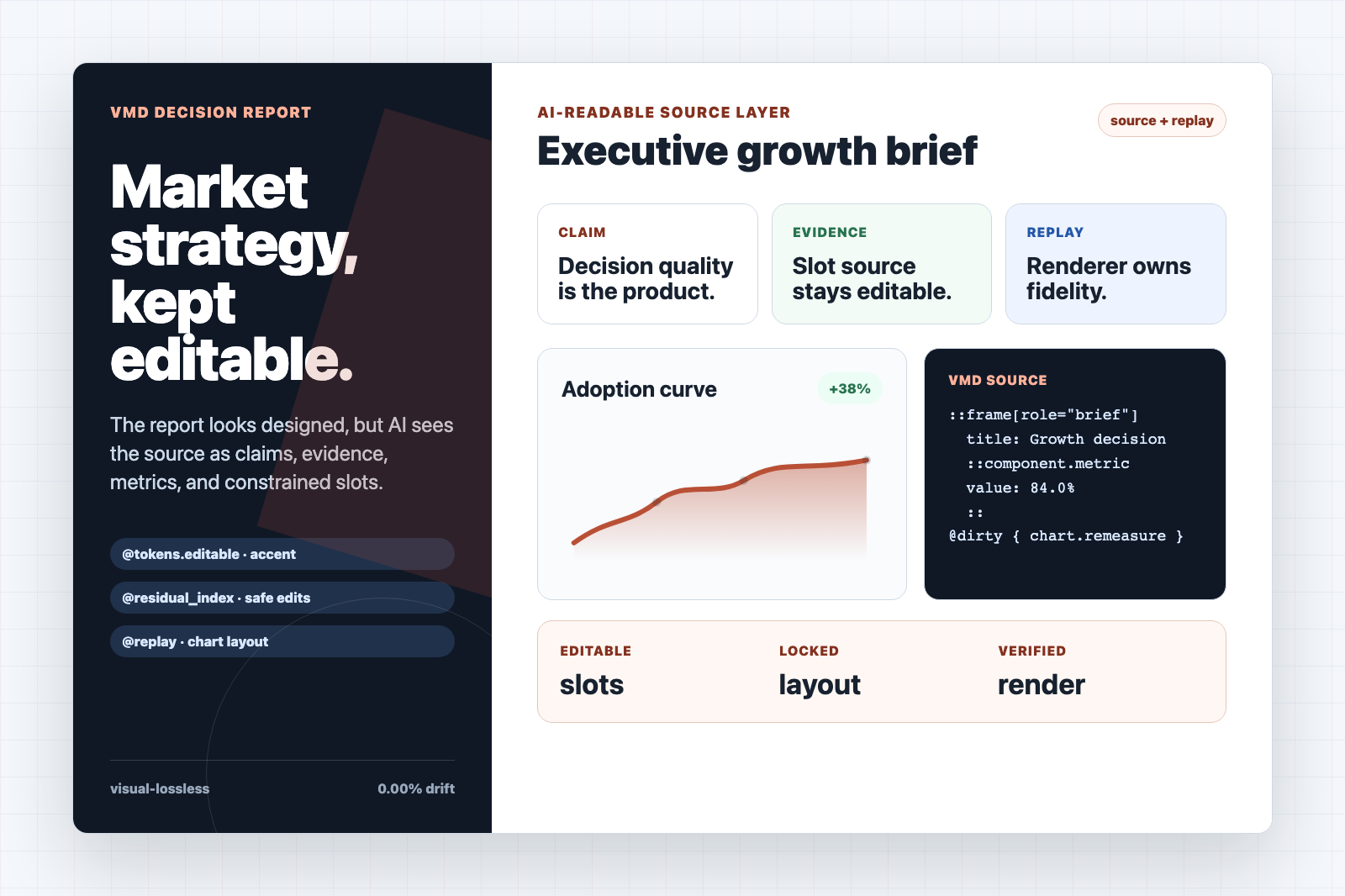
A designed report can keep its claims, metrics, charts, and callouts editable without asking AI to rewrite the whole HTML page.
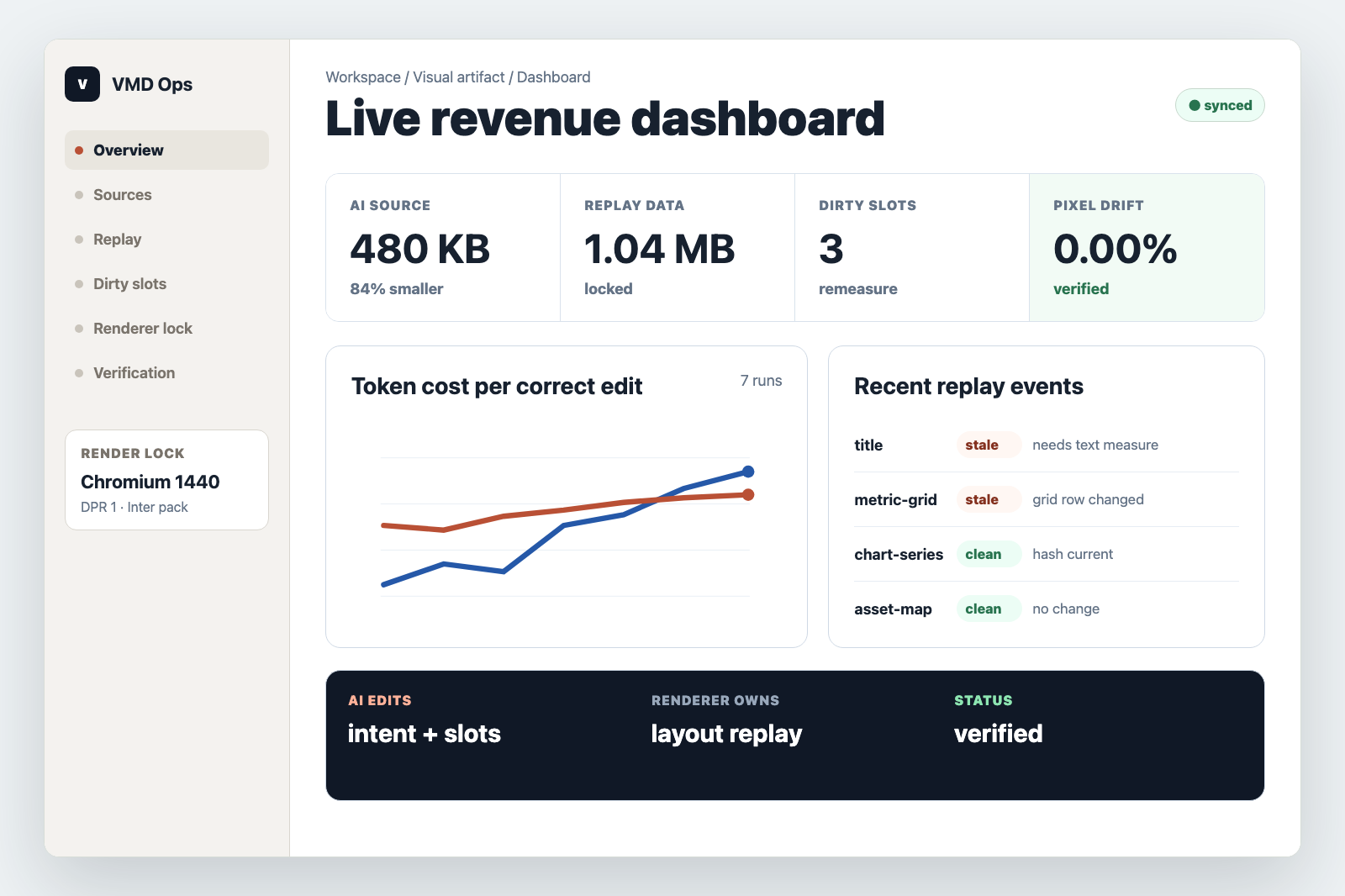
A dashboard can expose metric slots and dirty-state constraints while the renderer preserves spacing, tables, and chart layout.
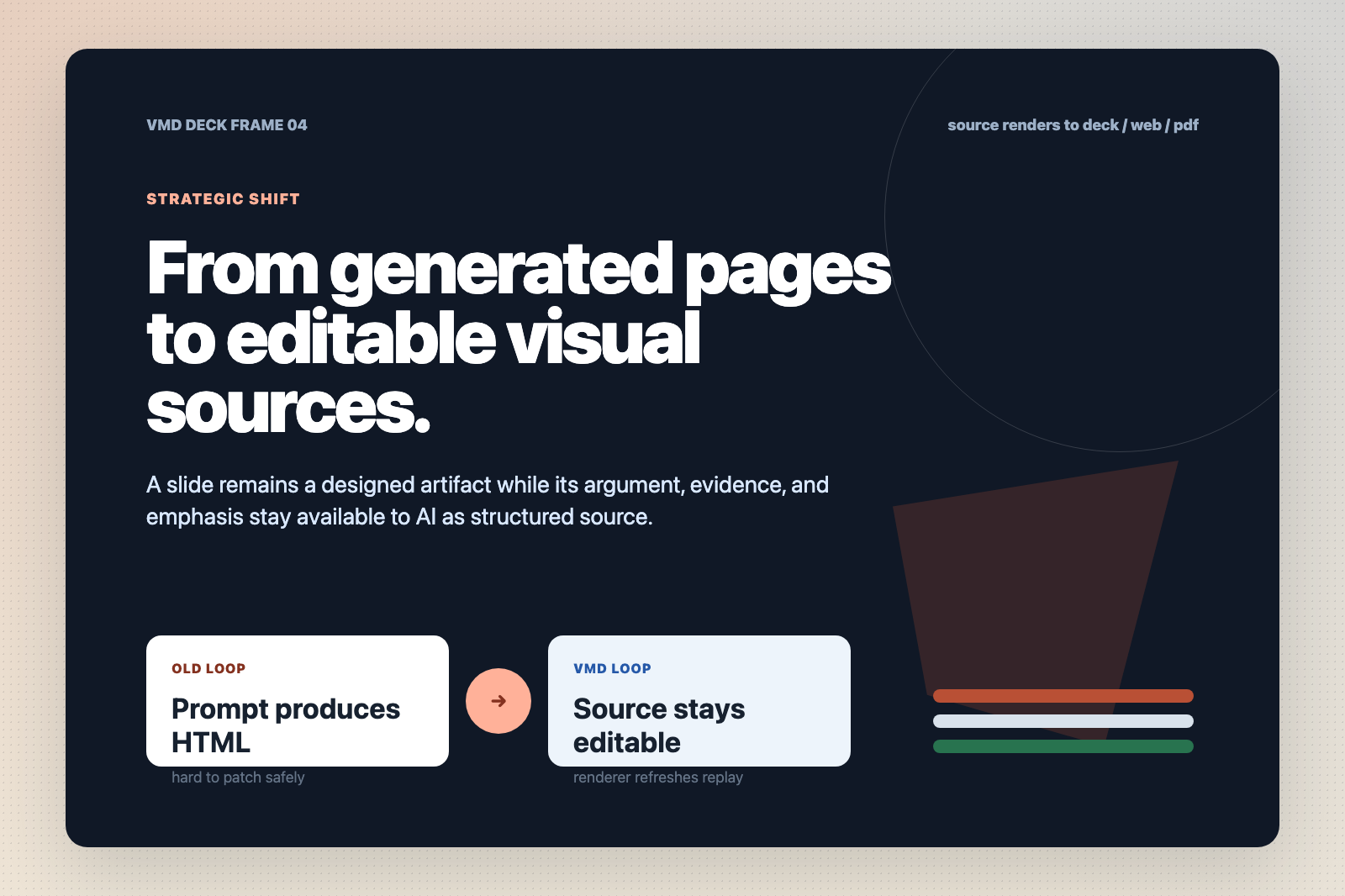
The same source idea can drive slide-like frames where the AI edits the argument and the renderer owns the visual system.
Format contract
VMD is not a shorter spelling of HTML. It is a split contract: the AI edits a compact source layer, while the renderer owns the data needed to replay the visual result.
The part the model can understand and patch with minimal context.
The part the renderer uses to reproduce the original output without asking the model to remember implementation noise.
The part that admits when a source edit has made replay stale and verification must run again.
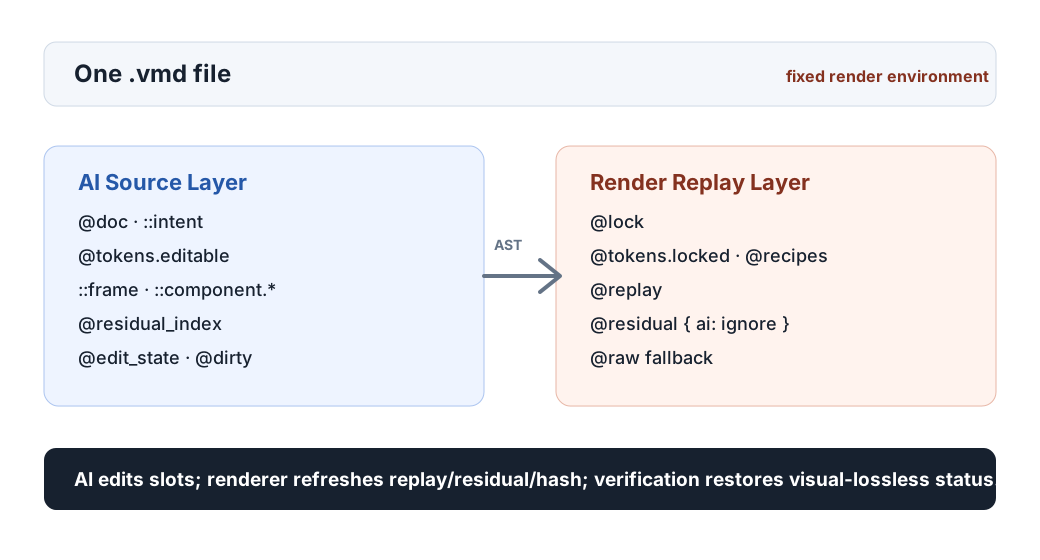
Edit loop
Complete restoration is mandatory for the locked source. After an AI edit, stale replay must be detected and refreshed before the artifact can claim visual-lossless status again.
Capture the editable slots and the replay data needed to restore the existing visual output.
The model changes meaning, copy, metrics, tokens, or component slots, not the whole browser implementation.
The renderer marks affected regions dirty, remeasures layout, updates residual data, and rewrites hashes.
Pixel and DOM checks decide whether the file may claim visual-lossless status again.
Proof direction
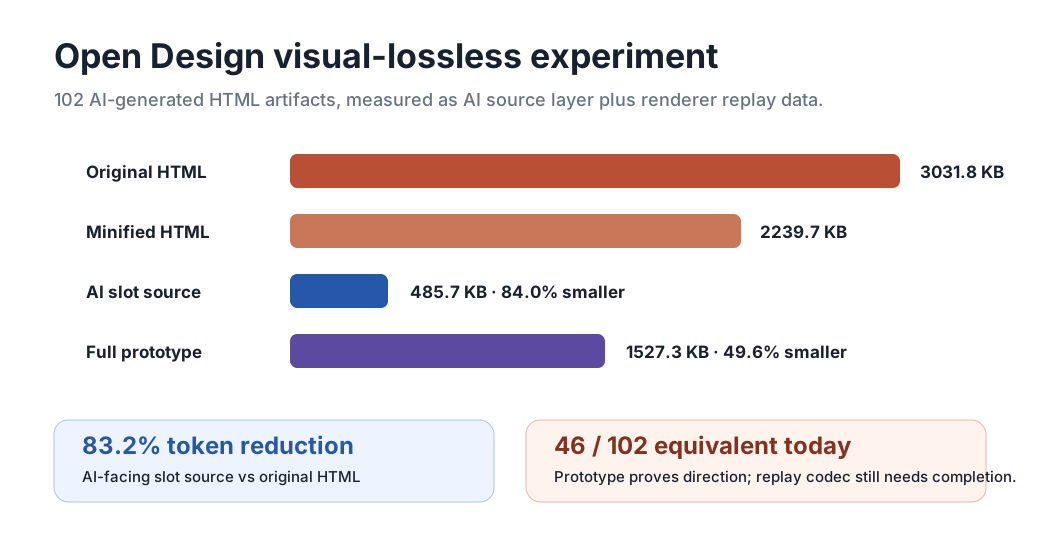
Winning is not the smallest file. Winning is the smallest AI-editable source that still lets a renderer reconstruct the visual output and refresh it after edits.
Reference implementation
The public repo includes a parser, renderer, CLI, Chrome extension, VS Code extension, packaging path, and visual fidelity checks so the idea can be tested as a working format rather than only discussed as a proposal.
Open .vmd files in Chrome and inspect source, diagnostics, and render modes before browser-native support exists.
Author VMD with snippets, syntax highlighting, validation, live preview, and visual-lossless guardrails.
Render, validate, build galleries, package extensions, and run visual fidelity checks from repeatable commands.
vmd validate samples/visual-lossless-dashboard.vmd --strict npm run test:chrome npm run verify:visual-fidelity -- --source-dir ./design-artifacts Public draft
The goal is a format that is small enough for AI collaboration, strict enough for visual restoration, and open enough to become a real document primitive.